 Levelwise

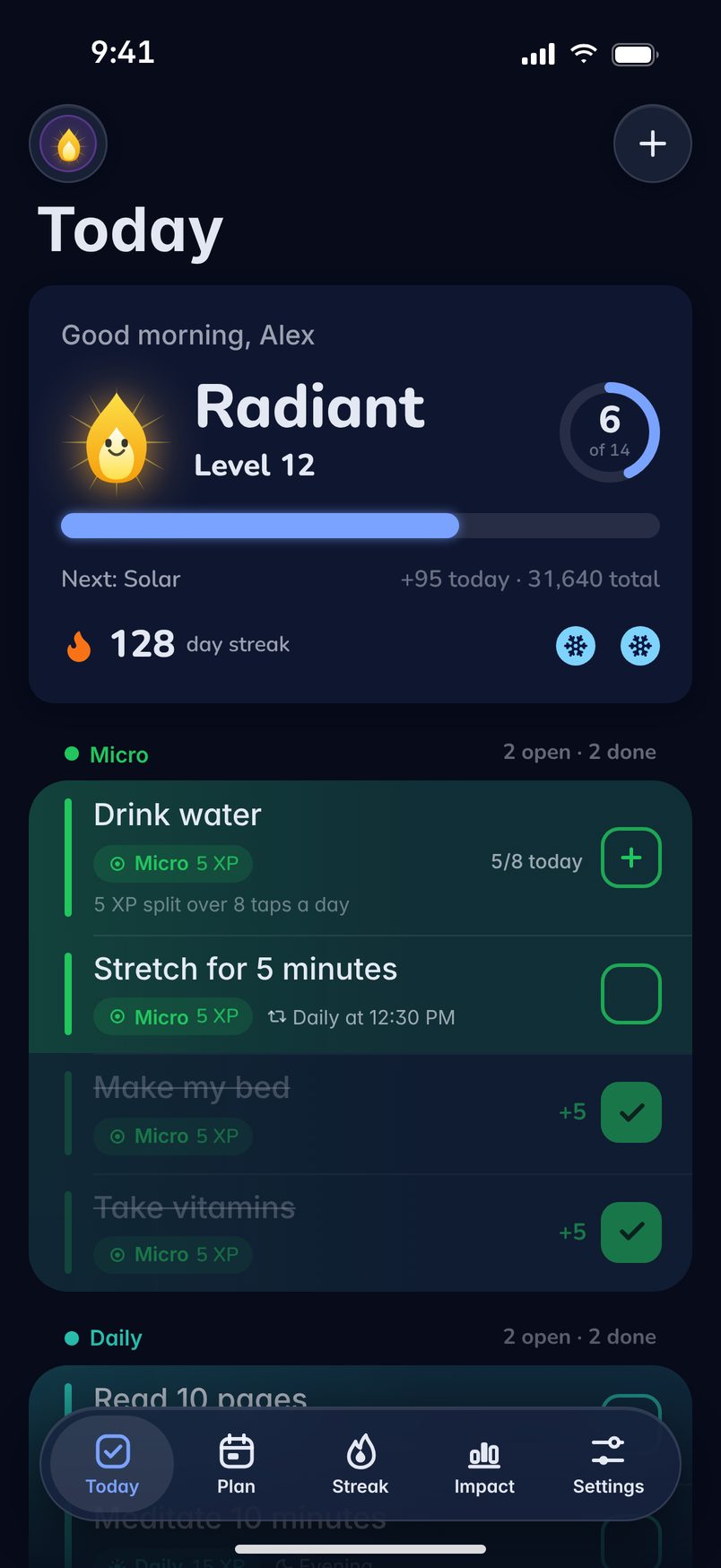
Every task earns XP
Five categories, from a quick Micro to a Life goal, each worth more as the work gets bigger.
Now on the App Store
Level up your whole life.
Levelwise turns your habits and to-dos into a game you actually want to play. Every task earns XP, every day builds your streak, and every level unlocks something new.
Official App Store screenshots. Scroll to walk through them.
01 / 06
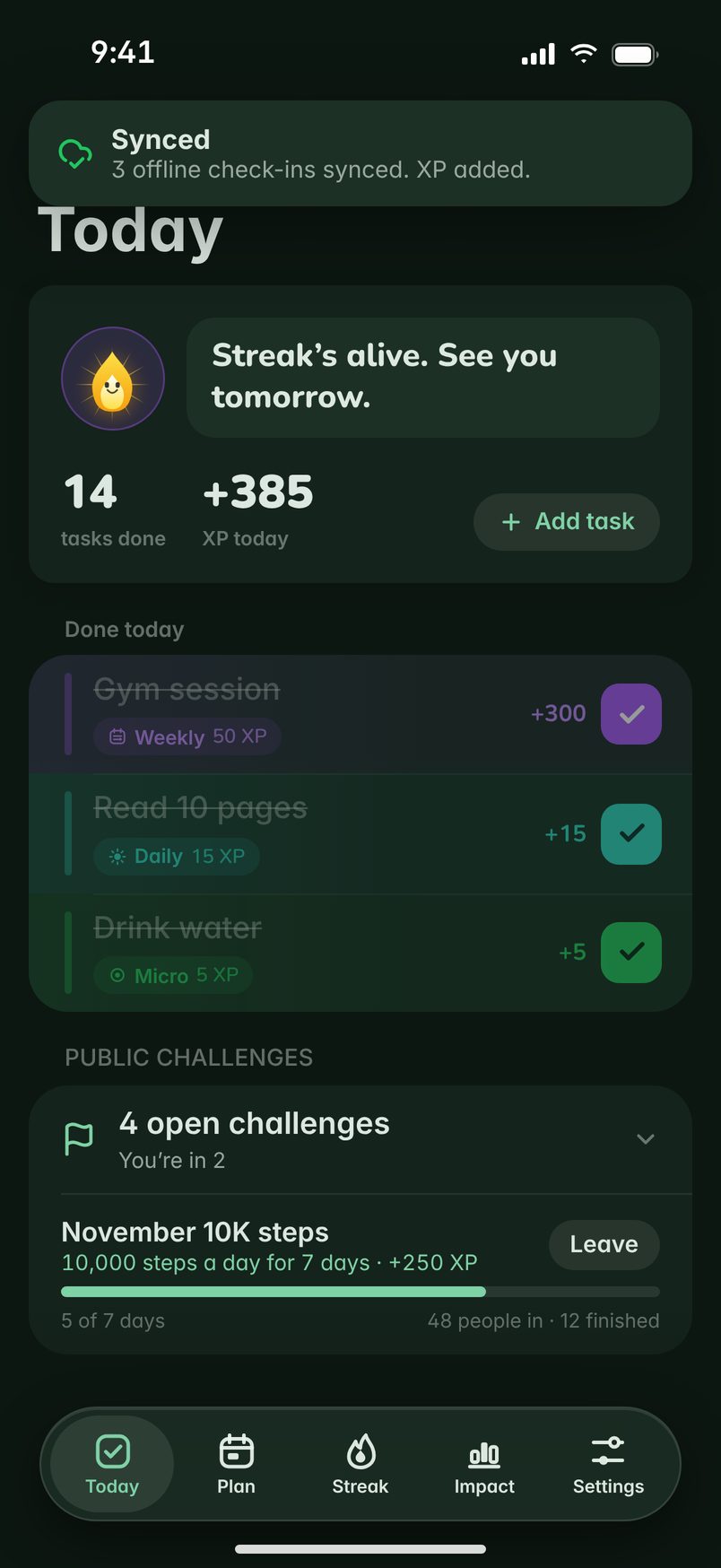
Bigger check buttons that fill with color
Real habits and to-dos, scored as a game you actually want to play.
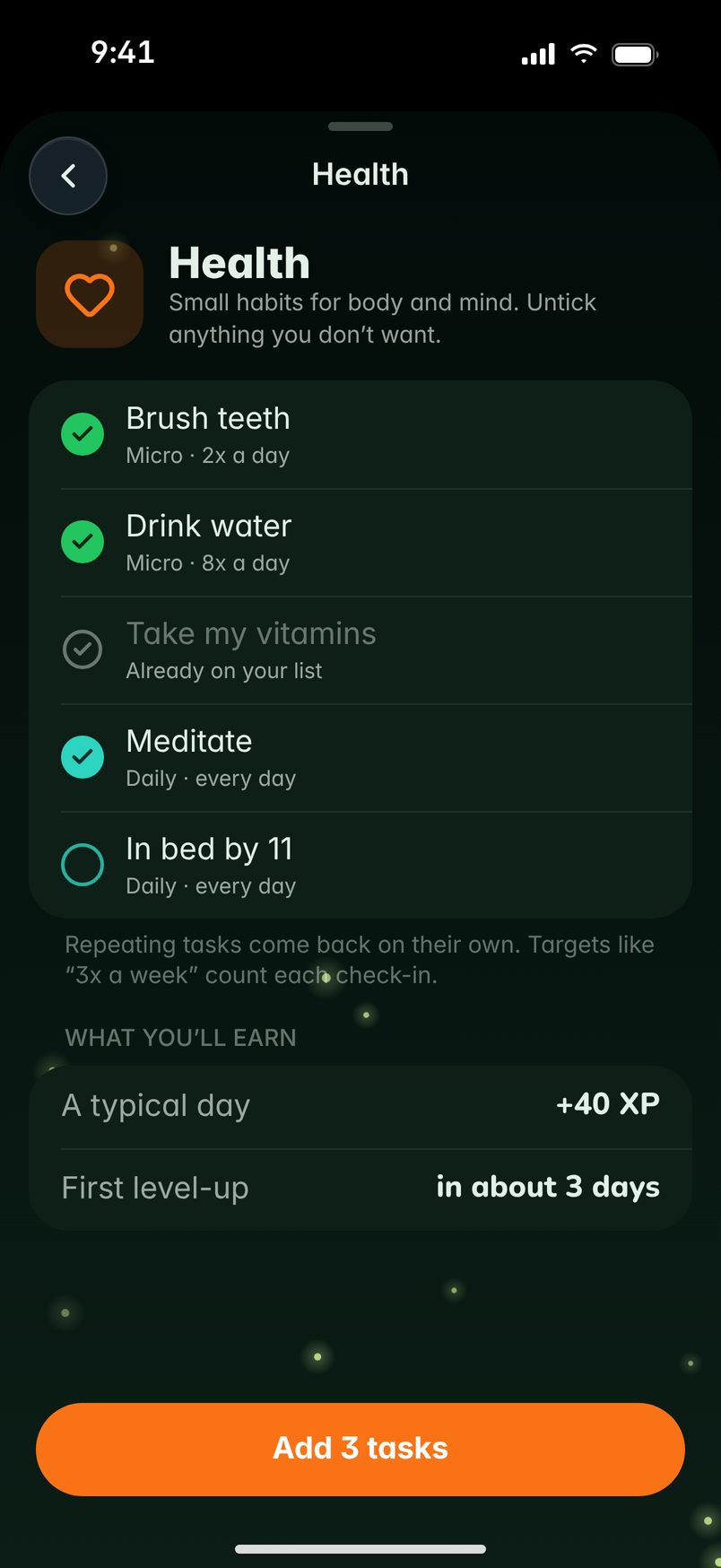
Five categories, from a quick Micro to a Life goal, each worth more as the work gets bigger.
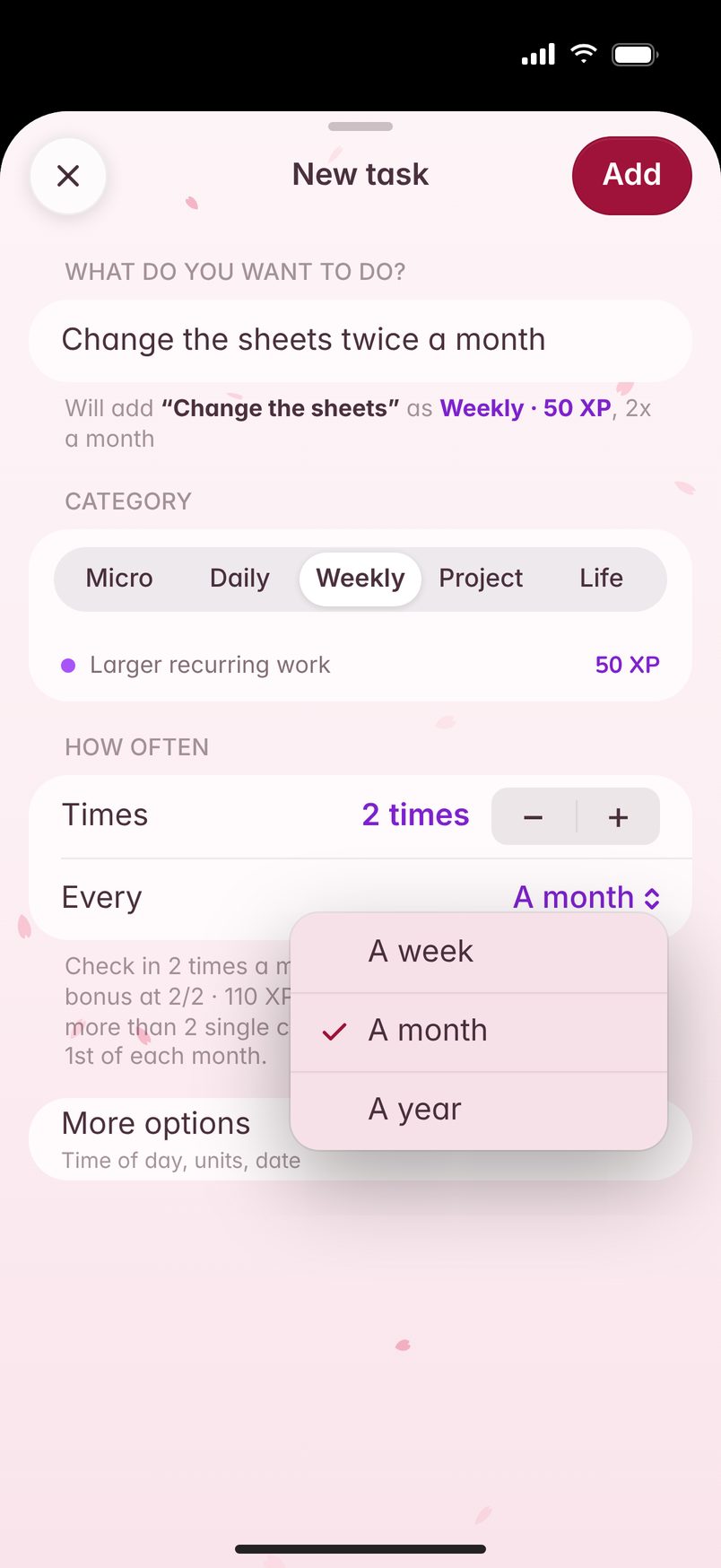
Type it in plain words, like “8 glasses a day”, “Gym 3 times a week”, or “12 books a year.”
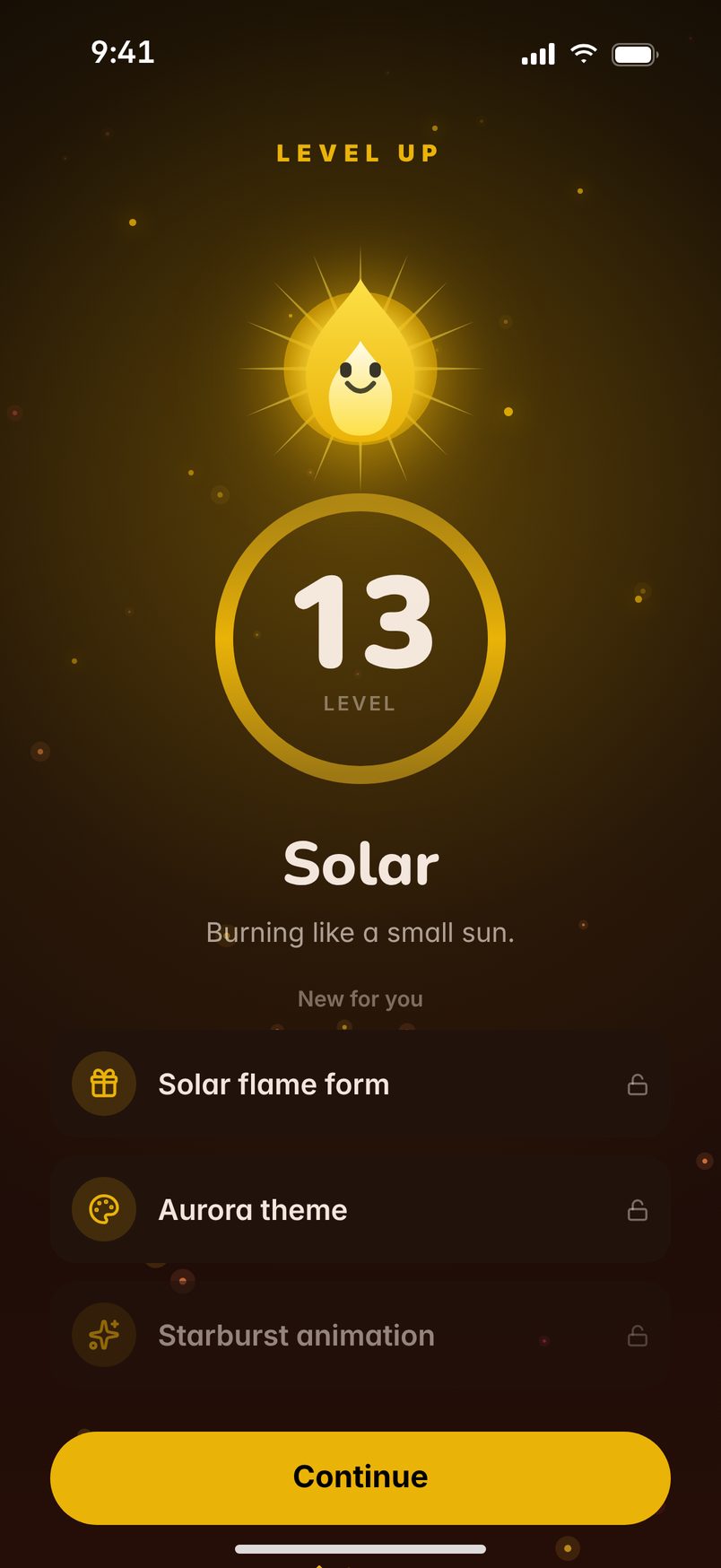
A full-screen moment as your flame evolves, with new rewards when you rise.
A + button on the Today widget, Siri and Shortcuts, or Control Center.
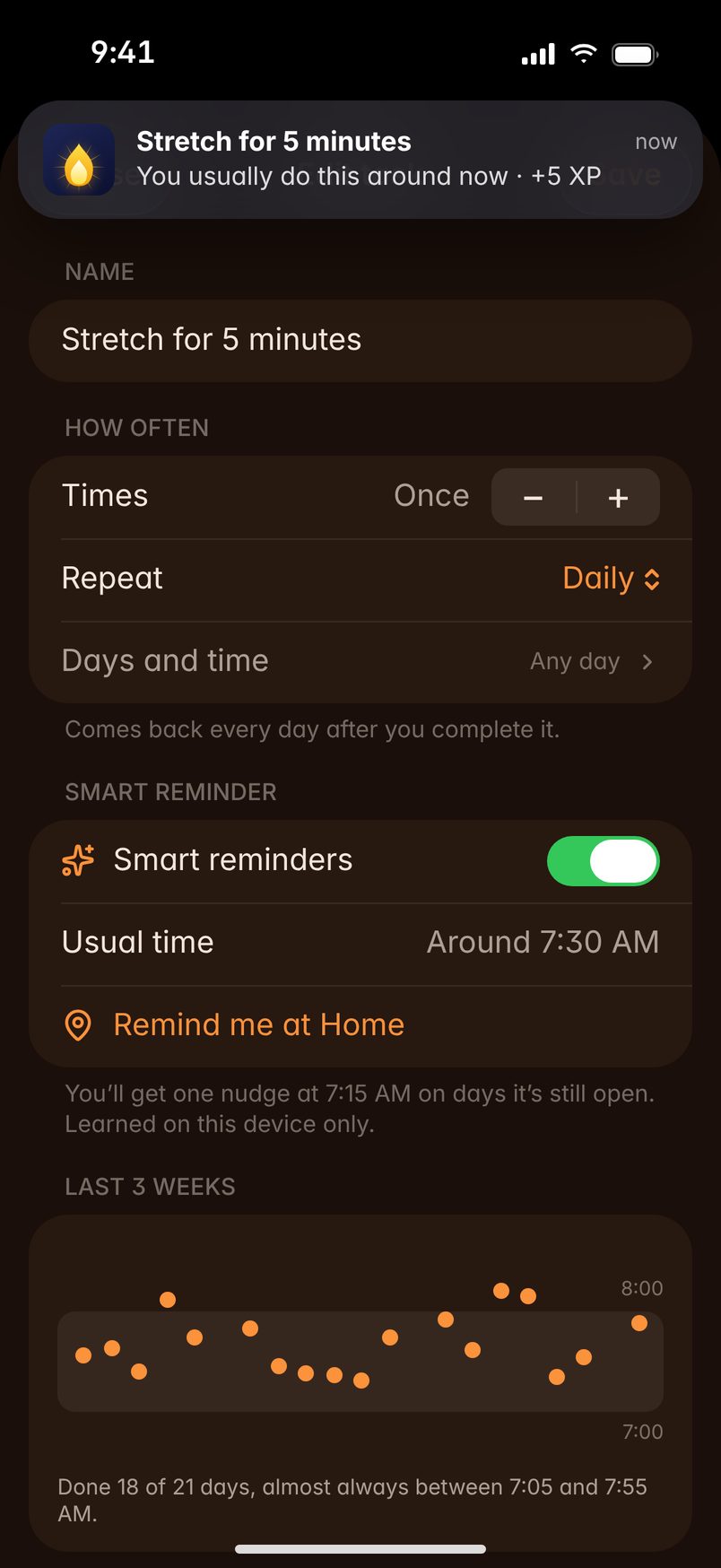
At most one nudge per task a day, at a scheduled time or when you arrive somewhere.
Invite with a link, run XP battles and team challenges, or join a public challenge.
Widgets, a Live Activity for today’s XP, and Apple Watch complications.
Steps, distance, or active calories can check a target in as you move, and stay on your device.
Levelwise Pro adds Project and Life goal categories, Pro themes, progress bars and animations, and matching app icons. Monthly or lifetime. The Android app will use the same account.
Short answers from the app, the Privacy Policy, and Support.
Levelwise is a habits and goals app for iPhone, iPad, and Apple Watch. Every task earns XP in its own category, you build streaks, and you level up. The idea is simple: level up your whole life.
Levelwise is free to download. Levelwise Pro is $1.99 per month or $12.99 lifetime. Pro adds Project and Life goal categories, Pro themes, progress bars and animations, and matching app icons. Themes such as Sakura, Starfall, and Warp, and the Arcade Chomp bar, can also be bought on their own. Cream is included with Pro; it is not a separate paid item.
Restore purchases while signed in. Restore uses the App Store account on the device.
Email LevelwiseSupport@gmail.com. Ask for deletion of your Levelwise account and server-side data, and include the email you sign in with. If you also joined the website email list, say so and we’ll remove that too.
An Android app is coming soon and will use the same account. Use the Google Play badge or the form on this page to join the email list and get a note when it ships.
Email for sign-in, the tasks and progress you save, and purchase identifiers needed to restore Levelwise Pro or paid cosmetics. Calendar access stays on the device except for events you choose to import as tasks. There is no tracking and no ads. If you join the website email list, we store the address you enter so we can send the updates you asked for — that’s separate from a Levelwise app account. See the Privacy Policy.
Levelwise is the same app under a new name and a new App Store / Play identity. After you install Levelwise, sign in with the same email and password, then delete the old XP Tracker app if it is still on your Home Screen. Your tasks and progress live on the server, not in the old app. You’ll need to add the widgets again. If you used calendar sync, grant calendar access in Levelwise so it can rename the existing “XP Tracker” calendar to “Levelwise” without duplicating your blocks.
Email LevelwiseSupport@gmail.com. Include your account email if the question is about your data or a deletion request.